
Imagine this: your hardware wallet is destroyed in a fire. Your phone, which holds one of the keys to your Bitcoin, is lost in the ocean. Panic sets in. But then you remember-you didn't just store your coins in a single vault. You used a multi-signature walleta digital wallet that requires multiple private keys to authorize transactions. Because you set it up as a 2-of-3 multisig, you still have access to your funds. This is the power of distributed security. However, the real test isn't spending from the wallet; it's recovering it when things go wrong. Recovery in multi-signature setups is notoriously difficult if you haven't prepared for it. Unlike a standard wallet where one seed phrase unlocks everything, multisig recovery demands precision, specific tools, and a clear understanding of how your keys are structured.
The good news? It’s entirely possible. The bad news? Most people fail because they treat multisig like a regular wallet. They forget to export critical data, or they don’t understand what an "output descriptor" actually is. If you’re reading this, you likely want to secure your Bitcoin properly but fear losing access forever. This guide breaks down exactly how multisig recovery works, the tools you need, and the step-by-step process to get your funds back without relying on third-party support teams that might not exist anymore.
Why Multisig Recovery Is Different
In a standard single-signature wallet, your life depends on one 12- or 24-word seed phrase. Lose it, and your money is gone. Gain it, and you’re set. Multi-signature wallets change this dynamic completely. In a typical 2-of-3 setup, you have three separate keys (or shares). To move funds, you need two signatures. To recover the wallet, you also need at least two of those three keys plus some additional metadata.
This extra layer of security comes with a price: complexity. You can’t just type a seed phrase into any wallet app and expect it to work. Each key exists in isolation. Key 1 doesn’t know about Key 2. Therefore, the wallet software needs a map-a blueprint-that tells it how these keys fit together. This blueprint is called the output descriptora string of text that defines the structure of a multisig wallet, including script type and key derivation paths.
Without the output descriptor, even having all three private keys is useless. You’d be holding the keys to a safe but lacking the combination dial. That’s why most recovery failures happen not because users lost their keys, but because they lost the descriptor or failed to export their wallet configuration correctly. Understanding this distinction is the first step toward successful recovery.
The Core Components You Must Backup
To ensure you can recover your multisig wallet under any circumstance, you need to back up three specific things during the initial setup. Do not wait until something goes wrong. If you’re setting up a new multisig today, pause and verify these three items are safely stored.
- All Private Keys (Seed Phrases): In a 2-of-3 setup, you have three distinct seed phrases. Store each one separately. Use metal seed plates for long-term durability, as paper can burn or rot. As Jameson Lopp, CTO of Casa, notes, seed plates resist fire, water, and corrosion. Keep them in different physical locations-perhaps one at home, one in a safety deposit box, and one with a trusted family member.
- The Output Descriptor: This is a long string of code generated by your wallet software. It contains information about the script type (like P2WSH or P2TR), the derivation paths, and the public keys of all signers. Export this immediately after creating the wallet. Save it as a text file, print it out, and ideally, engrave it on a metal plate alongside your seeds. Without this, you cannot reconstruct the wallet address structure.
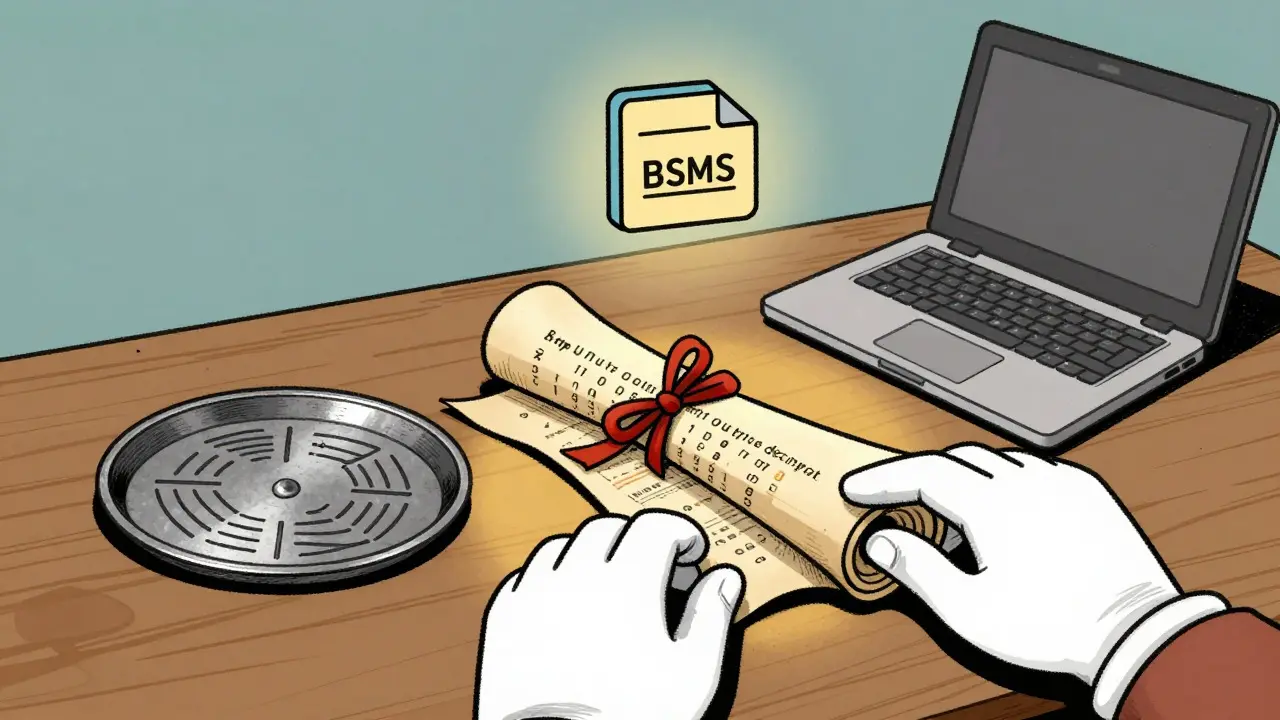
- Wallet Configuration Files (BSMS): Some platforms, like Nunchuk, use a Binary Serialized Multisig (BSMS) format. This file encapsulates the entire wallet state. While the output descriptor is universal, the BSMS file makes importing into certain apps easier. Export this monthly if your wallet supports it.
If you have these three components, you are in the top tier of prepared Bitcoin holders. Most users only back up their seeds, leaving them vulnerable if the wallet provider disappears or changes its software standards.
Choosing the Right Recovery Tools
When disaster strikes, you’ll need robust software to reconstruct your wallet. Not all wallet apps handle multisig recovery well. For maximum sovereignty and control, experts recommend using open-source desktop wallets. The gold standard here is Sparrow Walletan open-source Bitcoin desktop wallet known for advanced multisig support and privacy features.
Sparrow Wallet supports BIP48 and BIP129 standards, making it compatible with almost any modern multisig setup. It runs on Windows, macOS, and Linux, requiring Java 17 or higher. Another excellent option is Specter Desktopa self-hosted Bitcoin node manager and wallet coordinator that simplifies multisig creation and recovery, which is great if you run your own full node. Both tools allow you to import an output descriptor and manually add your private keys to generate addresses.
Mobile wallets are generally less reliable for complex recovery scenarios. While apps like Theya or BitPay offer user-friendly interfaces, they often rely on cloud services or proprietary formats. If those servers go down, you’re stuck. Desktop software gives you direct control over the cryptographic processes, ensuring no middleman can block your access.
| Provider/Tool | Recovery Method | Time Required | Technical Difficulty | Key Requirement |
|---|---|---|---|---|
| Theya | Sovereign Recovery via Output Descriptor | ~20 minutes | Medium | 2-of-3 Keys + Descriptor |
| Nunchuk | BSMS File Import into Sparrow | ~15 minutes | Low | Exported BSMS File |
| Casa | Keymaster System / Full Sovereign | 30-60 minutes | High | 3-of-5 Keys + Descriptor |
| BitPay | Individual Seed Phrases | Varies | Medium | Each Copayer’s Seed |
| Ownbit | Manual UTXO Construction | 30-45 minutes | Very High | Technical Knowledge |
Step-by-Step Recovery Process Using Sparrow Wallet
Let’s walk through a realistic scenario. You’ve lost your primary device, but you have two of your three seed phrases and the printed output descriptor. Here is how you recover your funds using Sparrow Wallet.
- Install Sparrow Wallet: Download the latest version from the official website. Ensure your computer meets the system requirements (Windows 10+, macOS 10.15+, or Linux kernel 4.15+).
- Create a New Multisig Wallet: Open Sparrow and select "Create New Wallet." Choose "Multisig" as the type. Select "Import Descriptor" rather than creating a new one from scratch.
- Paste the Output Descriptor: Carefully copy the output descriptor from your backup. Double-check for typos. A single character error will result in empty addresses. Sparrow will parse this and show you the expected address structure.
- Add Signers: You’ll be prompted to add the private keys. Since you have two seeds, import them one by one. You can do this by selecting "Add Private Key" and entering the seed phrase along with the correct derivation path (usually m/48'/0'/0' for BIP48).
- Verify Addresses: Once the keys are added, Sparrow will generate the receiving addresses. Compare these addresses with old transaction records or blockchain explorers to confirm they match your previous wallet. This step is crucial to avoid sending funds to the wrong place later.
- Sign Transactions: When you’re ready to move funds, create a transaction. You’ll need to sign it with two devices. If you only have one hardware signer left, you may need to use a mobile app or another device to provide the second signature. Sparrow supports PSBT (Partially Signed Bitcoin Transaction) workflows, allowing you to pass the transaction between devices for signing.
This process typically takes 15 to 30 minutes for experienced users. For beginners, allow up to two hours, especially if you need to troubleshoot derivation paths or descriptor formats.

Common Pitfalls and How to Avoid Them
Even with the right tools, recovery can fail due to human error. Based on analysis of hundreds of user reports, here are the most common mistakes:
- Incorrect Derivation Paths: Not all wallets use the same path. BIP44 (m/44'/0'/0') is common for legacy wallets, while BIP48 (m/48'/0'/0') is standard for SegWit multisig. If Sparrow shows zero balance, check if you imported the key with the wrong path. You can try both to see which one reveals your funds.
- Descriptor Mismatches: If your original wallet used P2SH (legacy multisig) and you try to import it as P2WSH (native SegWit), the addresses won’t match. Always note the script type in your backup. P2TR (Taproot) is the newest standard and offers better privacy but requires newer wallet versions.
- Missing Public Keys: In some recovery methods, you need the public keys of all signers, even if you only have the private keys for two. If you lost the public key of the third signer, you might not be able to reconstruct the full descriptor. This is why backing up the complete output descriptor is non-negotiable.
- Not Testing the Backup: The best way to avoid failure is to practice. Create a small test multisig wallet, send a tiny amount of Bitcoin to it, and then simulate a recovery by deleting the wallet and re-importing it. This dry run reveals issues before they cost you thousands.
One user on Reddit shared that they spent three hours reading documentation just to understand the output descriptor format. Don’t let that be you. Take the time now to read the guides from providers like Theya or Nunchuk. Their sovereign recovery documents are detailed and invaluable.
Future-Proofing Your Setup
The landscape of Bitcoin security is evolving. Standards like BIP129 are simplifying multisig descriptors, making recovery easier in the future. However, older wallets may not support these updates. If you’re using a very old multisig setup, consider migrating to a newer configuration once you’ve verified your recovery process.
Also, keep an eye on Taproot integration. As more wallets adopt Taproot multisig (P2TR), your recovery tools must support it. Sparrow and Specter are already ahead of the curve, but proprietary apps may lag behind. Sticking with open-source, standard-compliant software ensures longevity.
Finally, consider sharing knowledge with trusted contacts. If you have a 2-of-3 setup with family members, ensure they understand their role. They don’t need to be tech experts, but they should know where their seed phrase is and that it’s part of a larger system. Regular check-ins every six months can prevent forgotten passwords or misplaced backups.
What happens if I lose all my private keys in a multisig wallet?
If you lose all private keys in a multisig wallet, your funds are permanently inaccessible. Unlike centralized exchanges, there is no password reset button. This is why diversifying backup locations is critical. Even in a 2-of-3 setup, losing all three keys means total loss.
Can I recover a multisig wallet if I only have one seed phrase?
Generally, no. In a 2-of-3 multisig, you need at least two private keys to sign a transaction. Having only one key leaves you unable to authorize any movement of funds. However, if you have the output descriptor and the public keys of the other signers, you can view the balance, but not spend it.
Is Sparrow Wallet safe for recovering multisig funds?
Yes, Sparrow Wallet is widely regarded as one of the safest options for multisig recovery. It is open-source, meaning its code is publicly auditable. It does not require you to trust a central server. By using Sparrow, you maintain full sovereignty over your keys and transaction data.
Do I need internet access to recover my multisig wallet?
You need internet access to sync the blockchain and broadcast transactions. However, the actual signing process can be done offline using air-gapped devices. For maximum security, import your seeds on an offline computer, sign the transaction, and then broadcast it from an online machine.
How often should I test my multisig recovery process?
Experts recommend testing your recovery process at least once a year. Create a small test wallet with a negligible amount of Bitcoin, simulate a loss, and attempt to recover it. This ensures your backups are valid and that you remember the steps involved.


Comments (21)
Matt Kay
too much text for a simple guide
Namrata Mapgaonkar
omg this is so scary but also really cool? :O i never thought about how hard it would be to get my money back if my phone died. like literally in the ocean?? that sounds like a movie plot lol. but seriously, the part about the output descriptor being like a map makes total sense now. i always just saved the seed phrases on paper and hid them under my mattress which feels kinda dumb now. maybe i should print that long string of code too? or engrave it on metal like they said? seems expensive but worth it if you dont want to lose everything. anyway thanks for explaining it simply even though there was lots of tech jargon hehe.
Rita Dutta
the essence of security is paradoxical isn't it? we build walls to keep out thieves but those same walls can lock us out when the keys are scattered across dimensions of our own making. multisig is not merely a tool it is a philosophical stance against centralized fragility. yet most people treat it with the casual disregard of a disposable plastic fork. tragedy awaits those who do not understand the sacred geometry of the output descriptor. it is the soul of the wallet without which the body is just dead code floating in the ether. backup your seeds yes but honor the descriptor for it is the bridge between chaos and order. otherwise you are just hoarding digital dust.
Paul Smith
This is super helpful info! 😊 I’ve been wanting to set up a multisig for a while but was intimidated by all the steps. Glad to see Sparrow Wallet recommended since I hear good things about it. Thanks for breaking it down! 🙌
Rodmun Tarnowski
Indeed!! This is an excellent summary!! Many people overlook the importance of the output descriptor!! It is crucial!! Do not neglect this step!! Your financial sovereignty depends on it!! Be vigilant!! Stay safe!!
Matthew Smith
most people deserve to lose their money because they are lazy and refuse to learn basic cryptography. it is a moral failing to trust third parties. you must take responsibility. if you cannot handle the complexity then you do not deserve the freedom. stop complaining and read the docs. the system works perfectly fine for those who put in the effort. simplicity is for the weak.
Prudence Flemming
the ontology of the key is distinct from the epistemology of the descriptor. one holds value the other holds context. without context value is null. we often conflate possession with access. multisig forces a decoupling. it is beautiful in its rigor. most wallets abstract this away until the abstraction fails. then panic ensues. embrace the friction. it is the price of truth.
Carl Michaud
they want you to think you have control but the descriptors are designed to break. look at the BIP standards they are all compromised by corporate interests. Sparrow might seem open source but check the dependencies. they are tracking your metadata through the derivation paths. true sovereignty requires air-gapped cold storage with no software interaction whatsoever. trust nothing. verify everything. the elite are watching your transactions.
Dave Kjendal
you guys make it sound so hard. just write down the words. if you forget them its your fault. not mine. stop whining about complexity. bitcoin is for smart people apparently. or at least patient ones. i guess i am neither.
Kat Bennett
I found this incredibly reassuring because I had been putting off setting up my multisig for months due to fear of doing it wrong, but reading through the step-by-step process made me realize that the tools available today actually make it quite manageable if you just take the time to follow the instructions carefully and double-check every single detail before confirming any transaction, which is something I tend to rush through usually, so this guide serves as a great reminder to slow down and appreciate the security layers we have built into the ecosystem, and I plan to test my recovery process this weekend with a small amount of satoshis just to ensure peace of mind.
Candice Cornett
everyone here is so naive. you think printing a descriptor saves you? what if the printer runs out of ink? what if the paper yellows? physical backups are a joke. digital is better. cloud is best. why are we still talking about metal plates? it is medieval nonsense. let go of the past. embrace the future. your paranoia is your enemy.
Lance Jantz
Ah, the sweet nectar of cryptographic anxiety! 🍷 To hold the keys is to hold power, but to hold the descriptor is to hold the universe. Most plebeians scurry about with their single-signature wallets like ants carrying crumbs, oblivious to the grand architecture of decentralized trust. You must elevate your consciousness beyond mere 'saving.' You must curate your entropy. The output descriptor is not just text; it is poetry written in base58. Recite it daily. Worship it. For without it, your coins are but ghosts haunting empty addresses. Bravo to the author for elucidating this sublime truth! ✨
Don Fizy
Great job on the guide! :) I always tell my friends to use Sparrow for multisig. It's the best tool out there. Don't forget to check your derivation paths though. That trips everyone up. Good luck with your setup!
Phil Babb
LET'S GOOO!!! 🔥 THIS IS EXACTLY WHAT WE NEED!!! STOP BEING LAZY AND BACK UP YOUR DESCRIPTORS!!! IF YOU LOSE IT IT'S ON YOU!!! GET A METAL PLATE!!! DO IT NOW!!! DON'T WAIT!!! SECURE THE BAG!!! 💪💰
Dominic Greco
Theya is a honeypot. Nunchuk logs your IP. Even Sparrow has backdoors if you dig deep enough. The only safe way is to run your own node and sign offline with a device that has never touched the internet. But they will devalue Bitcoin anyway. CBDCs are coming. Multisig won't save you from the collapse. Prepare for the end. 📉👁️
Sean Rowland
It is imperative that one understands the precise syntactic structure of the BIP32 derivation path. Failure to adhere to the strict hierarchical deterministic standard results in catastrophic loss of asset visibility. Furthermore, the reliance on third-party hardware manufacturers introduces unnecessary points of failure. One must interrogate the provenance of every private key generation event. Are you certain your RNG was truly random? Or was it seeded by a state actor? Scrutinize everything.
Sus Sawyer
Yo this is gold! 🔥 Seriously tho, dont sleep on the testing part. I did a dry run last month and realized i had the wrong derivation path for one of my keys. Woulda been a nightmare if i lost my laptop. Kudos to the writer for keeping it real. Keep stacking sats and stay secure fam! 🚀
Aryan MISHRA
The technical accuracy is commendable!! However!! The emphasis on Sparrow is slightly biased!! Specter Desktop is equally robust!! Do not ignore alternative solutions!! Verify compatibility!! Ensure redundancy!! Protect your assets!!
Ryan Robinson
i mean it makes sense i guess. i still use a regular wallet cause this stuff looks like rocket science. but hey if you got the brains for it more power to ya. just dont blame us when you lock yourself out lol. chill vibes only.
Earl Kott65
Oh wow, another guide on how to not lose your life savings? How original. 🙄 But sure, let's pretend that writing down a bunch of numbers on a piece of paper is going to save you from the inevitable market crash. At least you'll have nice metal plates to look at while your portfolio goes to zero. Great advice, Einstein. 👏📉
Ethan Yuwono
it is interesting how we project our fears onto technology. the wallet does not care if you are afraid. it only cares about math. if the math checks out you are safe. if not you are not. there is no emotion in cryptography. just logic. accept that and you will find peace. the rest is noise.